Smart Remote For Vizio TV
LeoStudio Global Ltd.Tools
4.610.49K Reviews
- Version
- 1.1.20
- Installs
- 1.00M
- Age Rating
- Everyone
Screenshots
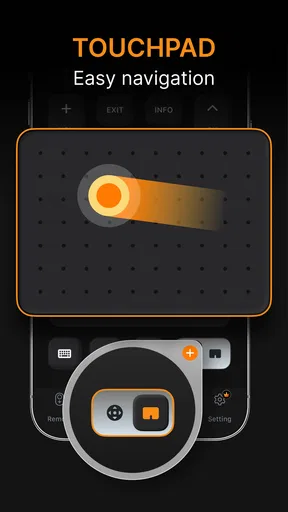
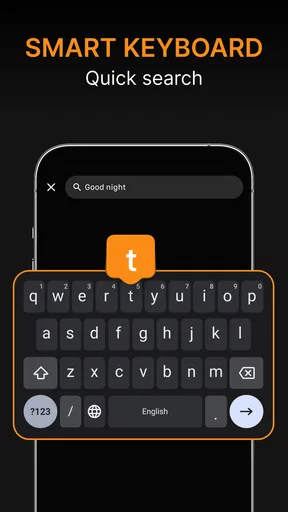
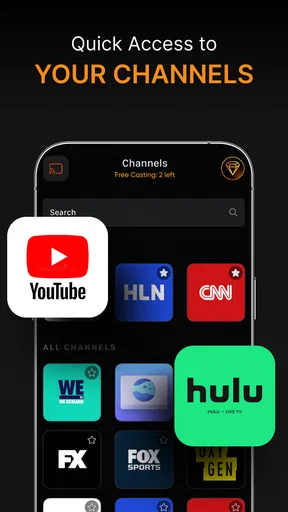
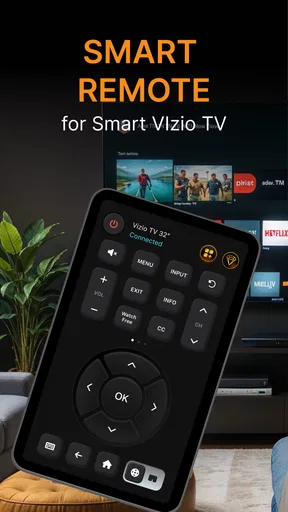
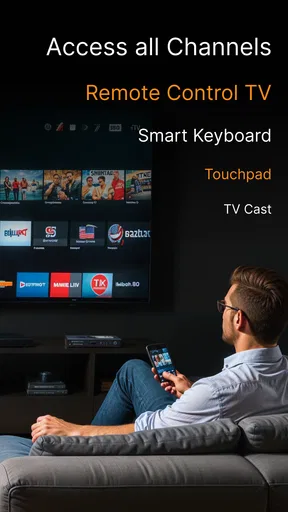
Our Review of Smart Remote For Vizio TV
 Analysis by Appyee
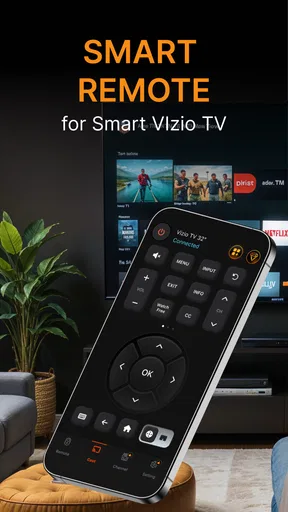
When I test a remote-control app, I care less about flashy promises and more about whether it makes a simple task easier without creating new uncertainty. Smart Remote For Vizio TV is a free tools app from LeoStudio Global Ltd. that turns an Android phone into a remote and adds smartcasting for photos and videos to a Vizio television. I found its appeal easy to understand: it can be useful when the physical remote is misplaced, when several people want to choose content from one phone, or when typing with a television remote becomes tiresome.
That convenience needs to be judged carefully, though. A phone-based remote handles the television in a more personal environment than an ordinary utility app, so I pay attention to connection steps, visible choices, and whether the app asks me to do anything that feels unrelated to its purpose. My overall impression is favorable for users who want a straightforward backup remote, but I would still approach it as a focused tool rather than an automatic replacement for every Vizio remote experience.
How the app fits into everyday TV use
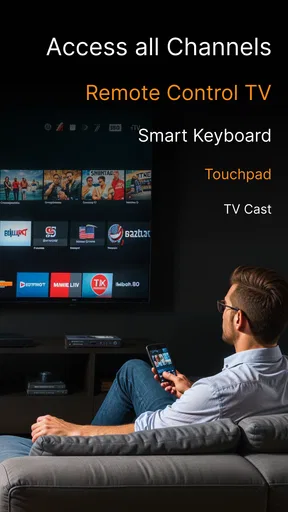
The app belongs in the tools category, but its practical role is very specific. It is built around controlling a Vizio TV and sending photos or videos from a phone to the larger screen. That combination matters because a remote-only application solves one problem, while casting can change how you use the television altogether. I can imagine opening it to adjust playback, navigate menus, or select something on the TV, then switching to the phone when I want to share a picture or video with people in the room.
In an ordinary evening, the most useful scenario is not dramatic. I might sit down to watch something and discover that the physical remote is under a cushion, in another room, or out of battery. Instead of interrupting the evening, I can use the phone as a temporary controller. If I am showing family photos, the phone also feels more natural than searching through a television interface one item at a time. The phone already contains the media, so the workflow is potentially more direct.
I also see value for households where the remote is frequently passed around. A guest may not know which button opens a particular menu, while most people are already comfortable navigating a phone. That does not make the app universally better. A dedicated remote remains faster for someone who prefers tactile buttons, and a phone can lock, receive notifications, or run out of battery at exactly the wrong moment. The useful distinction is that this app works best as an accessible second control method, not necessarily as the only remote in the home.
The application is free to install, which makes trying it relatively low-risk from a purchase perspective. It also includes optional in-app purchases ranging from $2.99 to $29.99 per item. I would check the purchase screen carefully before confirming anything, especially if I only need basic remote access. A free download can still lead to paid options, so the sensible approach is to identify which functions are available without payment and decide whether any upgrade is genuinely worth it for your routine.
Connection is the first trust test
With a remote app, the first important question is whether the phone and television can find each other without unnecessary confusion. I would begin with both devices on the same home network, keep the TV awake, and allow the app time to discover it before repeatedly tapping controls. If the television does not appear, restarting the app or checking the phone’s network connection is more sensible than assuming the TV itself is broken.
This is also where I would be cautious about granting access. A remote and casting tool may need local-network access to communicate with a television, but I prefer to see a clear system prompt and understand what I am approving. I would not treat a permission request as harmless simply because the app’s purpose sounds familiar. The right habit is to read the wording shown by the operating system, allow only what is needed for the connection, and revisit those choices later if the app remains unused.
I cannot recommend treating a successful connection as proof that every privacy concern has disappeared. The app’s job requires interaction with devices on a home network, and that makes the setup more sensitive than a calculator or offline note tool. I would avoid using it on a network I do not control, such as a public hotspot, and I would be especially careful when traveling or staying in shared accommodation where several televisions and phones may be visible to one network.
A practical tip is to keep the TV name or room location clear if the app presents more than one discoverable device. Selecting the wrong television is an easy mistake in a busy household. I would also close the connection when I finish using the app, particularly if the phone will be handed to someone else. These are small habits, but they reduce accidental control of another screen and make the app feel more deliberate.
What I would check before casting personal media
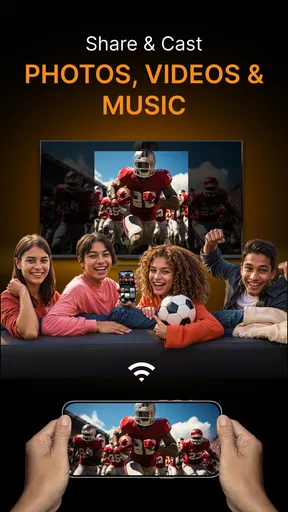
The casting side deserves more attention than the remote buttons because photos and videos can be personal. Before sending anything to a television, I would confirm the selected device and preview the media choice. A living-room screen is often visible to everyone nearby, and a mistaken tap can reveal an image that was meant to stay on the phone. The larger display is convenient, but it removes the privacy of a small personal screen.
I would also avoid using the casting function while sensitive notifications are appearing on the phone. Even when the selected photo is harmless, interruptions, previews, or an automatically chosen item can create an awkward moment. My preferred workflow is to select the exact media first, check the destination, and then start casting. When finished, I would stop playback and return to the app’s normal remote view rather than leaving a personal image displayed.
That workflow is one of the app’s less obvious trade-offs. A phone gives me a better library view than a TV remote, but the same phone is also a source of distractions and accidental taps. For a planned slideshow or a few family videos, the convenience is strong. For highly private content, I would use a method with controls and sharing behavior I already know well, rather than experimenting in front of other people.
The app’s age rating is Everyone, which makes its basic positioning broad and approachable. I still would not confuse an Everyone rating with a promise that every household situation is risk-free. Parents and families should supervise device pairing and media selection in the same way they would with any app that can place phone content on a shared screen. The rating describes general suitability, while the user still controls what is shown and where it is sent.
Controls, permissions, and the choices I would keep visible
Trust in a remote app comes from understandable control. I want to know which television is connected, when casting is active, and how to stop it. I also want the phone’s normal system settings to remain available so I can review or revoke permissions instead of assuming the first choice is permanent. Those checks are more important to me than a long feature list because they determine whether I remain in charge of the interaction.
When I install a utility like this, I would read each permission prompt at the moment it appears rather than approving everything in one motion. If a function does not work after I deny a request, I can decide whether that function is worth enabling. This approach keeps the decision tied to a visible need: local device communication for the remote or casting, rather than broad access granted simply because the app was installed.
I would also look for account-related prompts and treat them carefully. A simple TV remote should not make me feel pressured to provide personal details before I can test its basic purpose. If the app presents an optional sign-in, I would consider whether it adds something I actually need. If it presents a purchase, I would read the wording and confirm that I understand whether it is a one-time item or something with continuing consequences before proceeding.
These are not accusations about the developer, and I do not infer hidden behavior from the app’s category or name. They are sensible checks for any application that connects to a household device. LeoStudio Global Ltd. presents this product as a remote and smartcasting tool, so I judge it by whether the visible experience stays close to that role. The more clearly the app explains its choices, the easier it is for me to recommend it with confidence.
Where it beats the usual alternatives
The obvious alternative is the physical Vizio remote. It wins on tactile feedback, immediate availability once paired, and independence from a phone battery. If I am watching something in a dark room, physical buttons can be quicker than unlocking a phone and finding the correct app. A dedicated remote also avoids the temptation to check unrelated messages while I am trying to pause a program.
The phone app wins in different situations. It is easier for typing, browsing a personal photo library, and sharing a video that is already stored on the phone. It can also serve as a backup when the original remote is missing. For someone who frequently misplaces small devices, the phone may be the one controller that is reliably nearby. That is a practical advantage, not just a convenience feature.
Another alternative is the official control software or a general smart-home platform. Those options may be preferable for people who already manage several home devices in one place. A broader platform can reduce the number of separate apps, while a manufacturer-focused option may feel more natural to users who want support centered on their television brand. Smart Remote For Vizio TV is more appealing when the goal is a focused, uncomplicated tool rather than a complete home-control system.
I would also compare it with direct screen-sharing features already built into a phone or television. If all I need is occasional media playback and my devices already communicate smoothly, adding another remote app may not improve the experience. The strongest reason to choose this one is the combination of remote control and media casting in one Vizio-oriented utility. If I only need one half of that combination, the built-in option may be simpler.
Small frictions that affect the recommendation
The biggest limitation is dependence on the phone and the home network. A physical remote remains usable when the phone is charging, the battery is low, or the network connection is behaving badly. A phone also brings interruptions that do not affect a dedicated controller. I would not throw away the original remote after installing this app; I would keep it as a fallback.
Discovery can also feel less immediate than pressing a physical button. The app needs a sensible connection path, and a user who is not comfortable checking network settings may find the first setup more demanding. That is not a reason to reject it, but it changes who I would recommend it to. It suits people who are comfortable granting carefully considered access and troubleshooting a basic device connection.
The optional purchase range is another point to watch. Because the app is free to install, I would test the everyday remote function before considering any paid item. I would not pay simply to remove an annoyance until I knew the app connected consistently with my particular television and fit my routine. The right value judgment depends on how often the physical remote is unavailable and how much the casting workflow matters to you.
Version 1.1.20 is the current version, and the app requires Android 7.0 or later. That makes the compatibility question straightforward for Android users, but I would still check the device requirement before installing on an older phone. A television remote is only useful if the phone can run it reliably, and an aging handset may introduce its own connection or battery problems even when the app itself is suitable.
Who should use it, and who should skip it
I would recommend this app to someone who owns a Vizio TV and wants a backup controller that also handles photos and videos from a phone. It is particularly sensible for households where the physical remote disappears often, for people who share media during visits, and for users who prefer phone navigation to small television buttons. The free entry point makes it reasonable to test before making a commitment.
I would be more hesitant to recommend it to someone who wants a completely offline remote, dislikes granting local-device permissions, or expects a phone to behave exactly like a physical controller. It is also not my first choice for a person who already has a trusted official or smart-home solution that controls the television and handles casting well. Adding another app in that situation could create more clutter than convenience.
For privacy-conscious users, my advice is not to avoid it automatically but to use it deliberately. Review the operating system prompts, keep device selection visible, avoid casting private media casually, and check purchase screens before confirming. Those steps preserve user agency without making ordinary TV control unnecessarily difficult.
My cautious verdict after weighing convenience and control
Smart Remote For Vizio TV is a useful, focused Android tool when its two jobs match your needs: controlling a Vizio television and sending phone media to the big screen. I like the practical backup value, and I can see the casting workflow being more comfortable than navigating a television library with a traditional remote. Its free installation also lowers the barrier to finding out whether it works well in a particular home.
The app has a strong public reception, with an average rating of 4.6 from around 60 thousand ratings and more than a million installs. Those figures suggest that many people find the concept worthwhile, but they do not replace my own checks around permissions, pairing, casting behavior, and optional purchases. Popularity is useful context, not a substitute for careful setup.
My final recommendation is therefore positive but measured. Try it if you want a convenient backup and understand that a phone-based controller depends on network access, battery life, and visible user choices. Keep the physical remote available, treat personal casting with care, and decide on any paid option only after testing the basic experience. For that audience, this app can make an inconvenient television moment much easier without pretending to replace every advantage of a real remote.
Verdict
Strengths of Smart Remote For Vizio TV
- Quick setup with most Vizio TVs on the same Wi‑Fi network.
- Clean, simple layout makes essential controls easy to find.
- Useful replacement when the original Vizio remote is missing.
- Works well for basic volume, channel, and input adjustments.
- Convenient access to remote controls from a phone already in hand.
Limitations of Smart Remote For Vizio TV
- Requires both the phone and TV to share the same Wi‑Fi network.
- Compatibility may vary across older Vizio TV models.
- Contains advertisements that can interrupt the remote experience.
- Some advanced TV functions may be unavailable in the app.
- Response time can depend on Wi‑Fi strength and network congestion.
Other Releases by LeoStudio Global Ltd.
View All
Star Gazer - Astronomy Sky Map
Education4.6

AI Home Design Interior DECOZY
Art & Design4.6

Car Play Connect for Android
Auto & Vehicles4.3

People Finder AI Deep Search
Lifestyle3.9
Similar Picks in This Category
View All
Google LLC4.0

Gboard - the Google Keyboard
Google LLC4.5

Google Play services
Google LLC4.3

Google Play Store
Google LLC4.9

Files by Google
Google LLC4.5

SHAREit: Transfer, Share Files
Smart Media4U Technology Pte.Ltd.4.3
Frequently Asked Questions
What is Smart Remote For Vizio TV and how does it work?
Smart Remote For Vizio TV is a mobile remote-control app designed to let you operate a compatible Vizio television from an Android or iOS device. After installing it, the phone and TV generally need to be connected to the same Wi-Fi network. The app then searches for available TVs and provides controls such as navigation, volume, channel selection, input switching, and power functions.
Is Smart Remote For Vizio TV compatible with every Vizio television?
Compatibility can vary depending on the exact Vizio TV model, its SmartCast software version, and the operating system of your phone. Most modern Vizio Smart TVs with network connectivity are more likely to work, while older or non-smart models may require an infrared-supported device or may not be supported at all. Check the app listing and test the connection before relying on it as your only remote.
Does my phone and Vizio TV need to be connected to the same Wi-Fi network?
In most cases, yes. Network-based remote apps communicate with the television through the local Wi-Fi connection, so both devices normally need to be connected to the same home network. If the TV does not appear, confirm that your phone is not using mobile data or a guest network, restart the app, and check that the TV is powered on and connected to Wi-Fi.
Can Smart Remote For Vizio TV replace the original Vizio remote?
The app can be a useful replacement for everyday controls, especially when the original remote is lost, damaged, or out of batteries. However, it may not reproduce every button or advanced function found on the physical remote, and it may be unable to help if the TV is offline or disconnected from Wi-Fi. Keeping the original remote available is recommended for setup and troubleshooting.
Is Smart Remote For Vizio TV free to download, and are there advertisements or in-app purchases?
The download terms depend on the version and store listing available for your device. Some remote apps are free to install but include advertising, optional premium features, or subscription requests. Before downloading, review the current Google Play or App Store information for pricing, permissions, privacy details, and in-app purchases. Avoid entering payment information unless you clearly understand what the upgrade provides.
